.png?width=150&height=65&name=logo_tyto_robotics_2000_860%20(1).png)
When opening the output CSV file, you may sometimes find the data fluctuating. In this problem specified troubleshooting, we only provide solutions to the sampling rate that varies. If you observe other parameters being fluctuating, please refer to section 4.1.
- Please understand that the sampling rate in an output CSV file may not be consistent due to the COM port limitation.
- If you observe the sampling rate fluctuating from 37 Hz to 40 Hz, this is normal with the thrust stand. This is the product’s limit and cannot be resolved.
- If you observe the sampling rate fluctuating from 40 Hz down to 8 Hz and then come back, you may continue following this guideline to troubleshoot.
- Try to use another USB cable to connect the circuit / mainboard to the PC.
- Try to use another USB port on your PC.
- Disable all the real-time plots in the GUI, and close all other windows such as Chrome, IE, or other memory consuming softwares. Run with only the RCbenchmark GUI.
- Run again to see the problem persists, if yes, continue to:
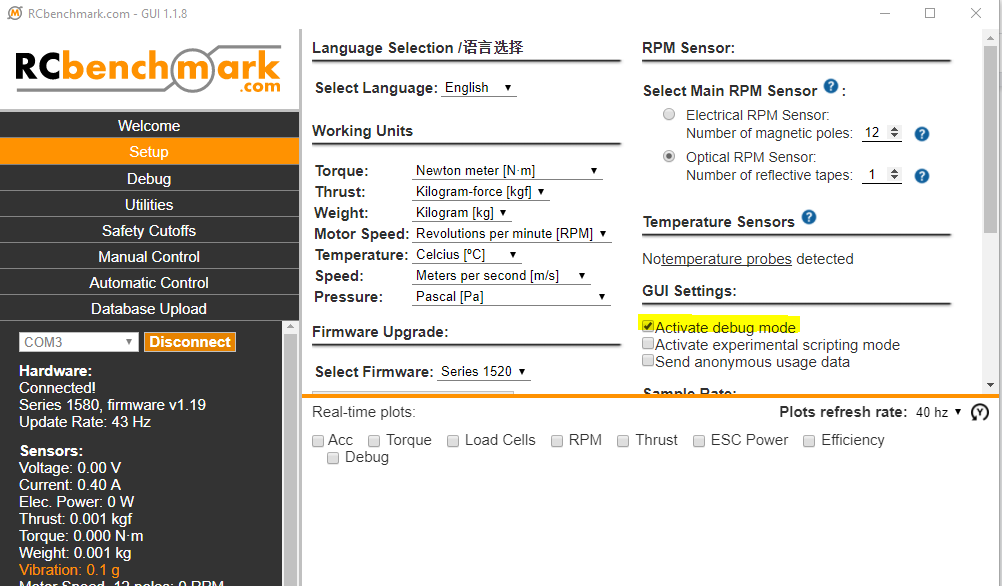
- Open the RCbenchmark GUI, go to Setub tab and check the box to activate the debug mode:
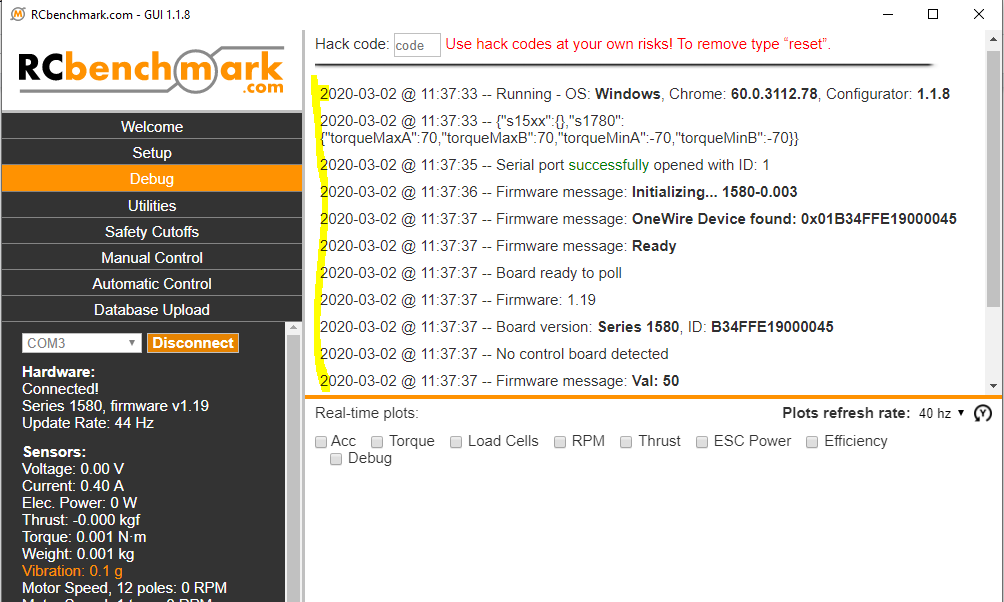
- Go to Debug tab and check the connectivity report of the GUI.
- Copy the connectivity report:
- We may suggest using a more powerful computer and unplug all unused COM ports and close all other software during the test.
- Send your support request to support@tytorobotics.com and please include:
- Subject: CSV output sampling rate fluctuation
- The connectivity report from the Debug mode
- The version of circuit / mainboard of your product
- The processes, memory usage and performance report from your OS, for example, task manager if you are using Windows. A screenshot of your real time performance