.png?width=150&height=65&name=logo_tyto_robotics_2000_860%20(1).png)
- Please confirm the green light on the circuit is ON
- Please confirm that you can see a new COM port appear in the RCbenchmark GUI when you connect the USB cable to the computer.
- Please confirm you use the correct version of the firmware for your board. You can flash the firmware at “Setup” -> “Firmware Upgrade” section. Please select the product you are using now in the drop-down menu then click “Flash Firmware vx.xx” to upgrade the firmware on your board.
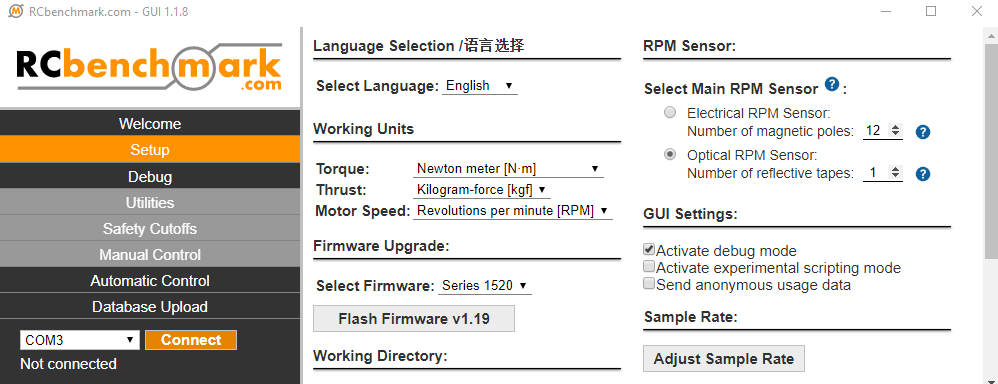
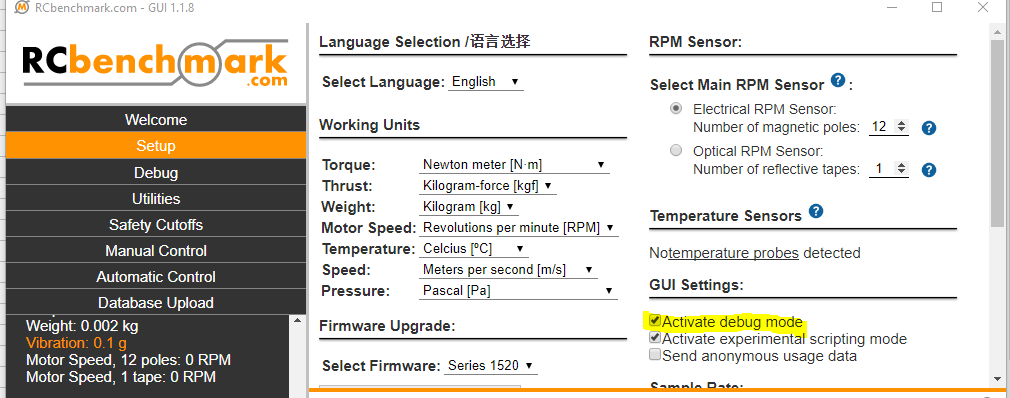
- If the red LED is flashing when you power up the circuit, please send us a screenshot of the “Debug” page on the RCbenchmark GUI. The debug page can be activated in Setup -> GUI Setting -> Activate debug mode.
- Please check the components on the circuit. If you find some damaged components, please take a picture and send it to us, support@tytorobotics.com, for further troubleshooting.