.png?width=150&height=65&name=logo_tyto_robotics_2000_860%20(1).png)
This section is only applicable to Series 1580/1585. The calibration process differs on the version of the circuit as well as the software that you may be using. Please follow this guideline if the system keeps indicating that the calibration does not pass after multiple attempts.
- Go to Tyto Robotics' website and download the most up-to-date software: https://www.tytorobotics.com/blogs/manuals-and-datasheets/rcbenchmark-software-overview
- Install the software and open the GUI.
- Please make sure that:
- You are using the original load cells *(2 x 2 kgf & 1 x 5 kgf) for your Series 1580/1585
- You are not using any unlock code
- You are using the Series 1580 hinge or Series 1580/1585 L-bracket to connect the load cells to the motor mount.
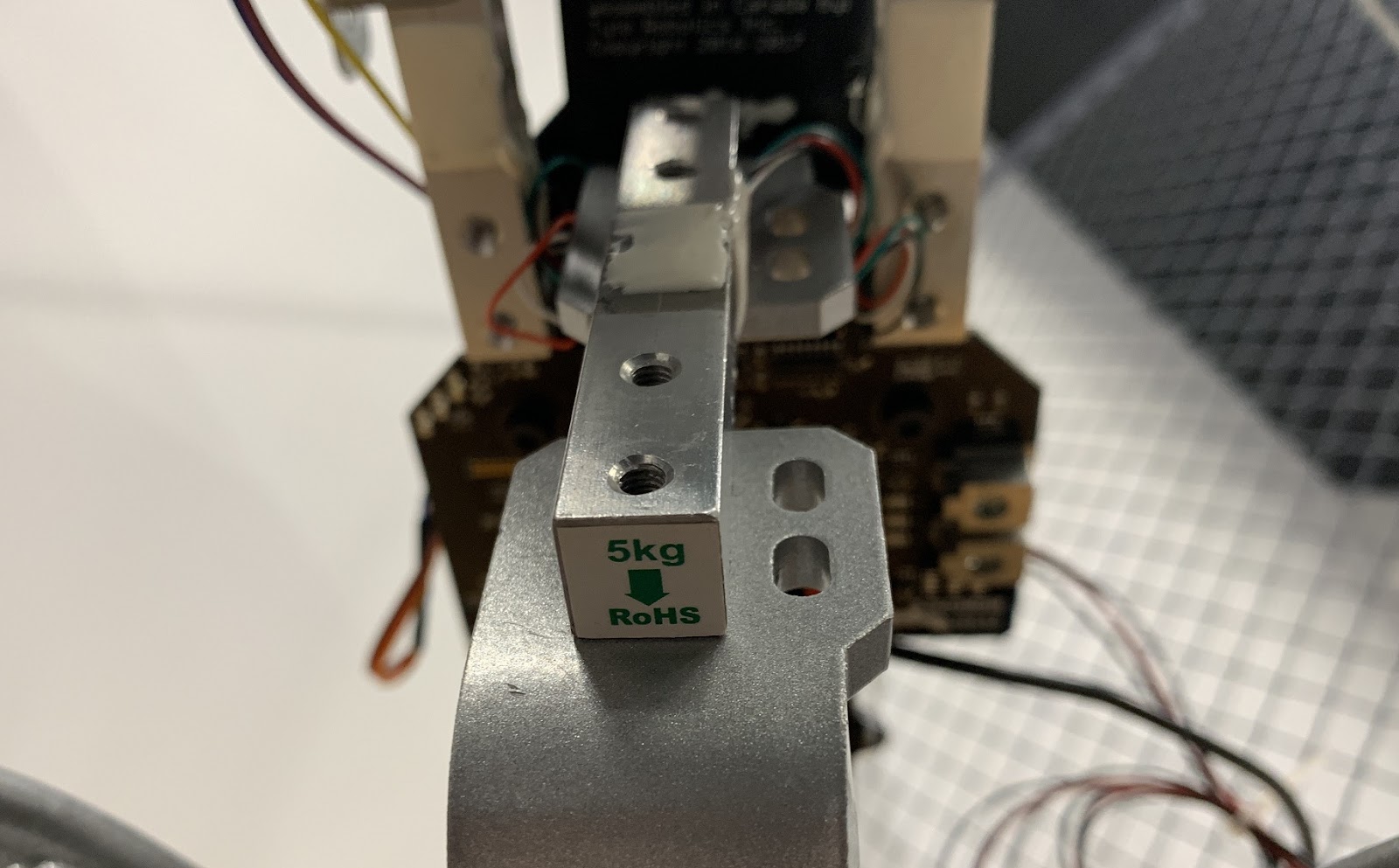
- Check that the 5 kgf load cell is being used on the thrust section. Make sure it is connected to the central connector on the circuit indicating “Thrust”.
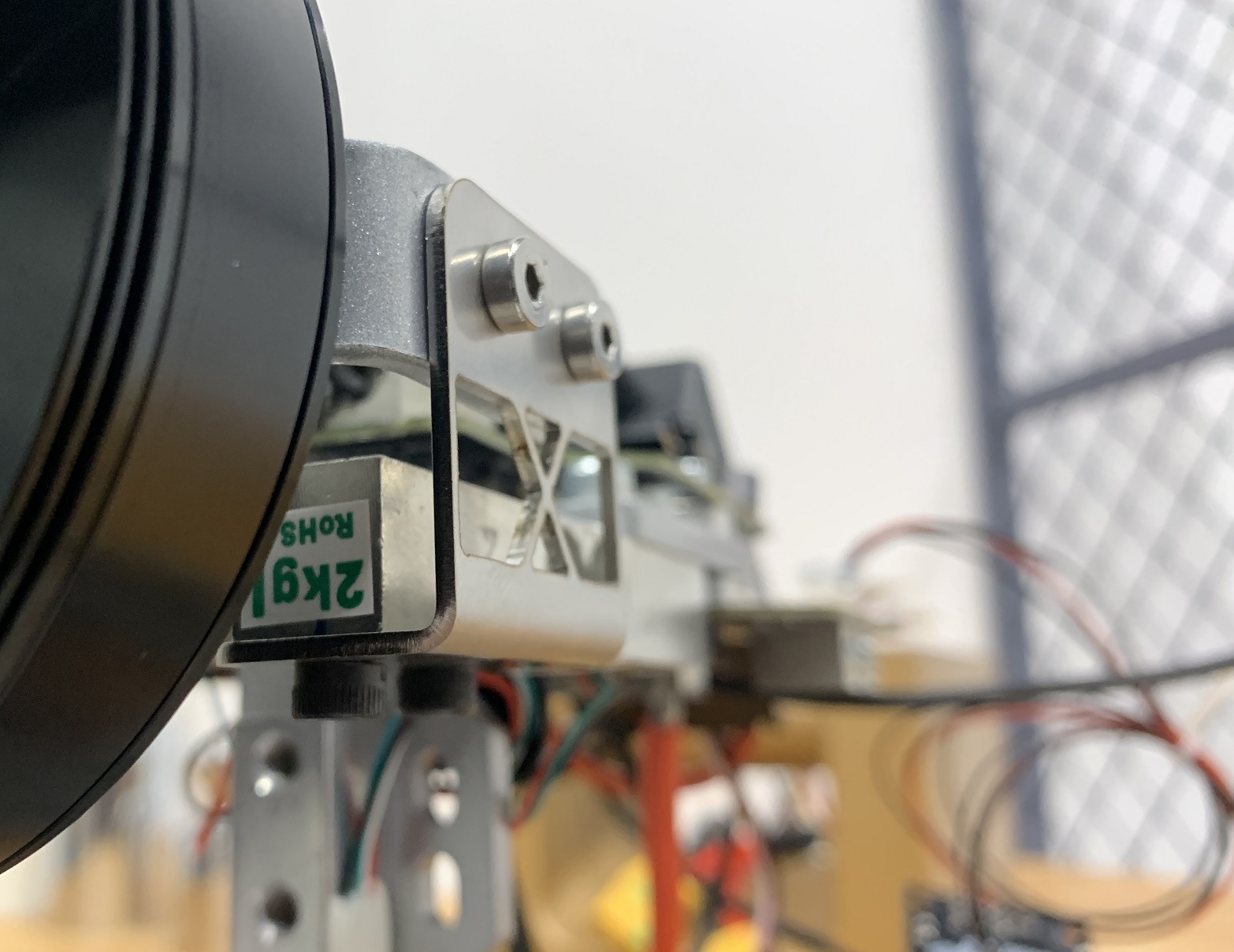
- Check that the two 2 kgf load cells are on the torque section. Make sure they are connected on the left & right connector on the circuit indicated by “L” and “R”.
- Connect the Series 1580/1585 to the GUI and check if the calibration warning is active:

- Now go to the Utility tab and try to do the thrust calibration wizard again.
- Before placing the stand vertical, please first make sure that all fasteners are properly tightened.
- You may keep your motor on the motor mount as long as there is enough space to place the 200 g weight on the mount and not interfere with the propeller.

- When placing the weight, please make sure that you do not touch any part of the thrust stand other than the motor mount. If your motor and propeller are still on the stand, please make sure the propeller stays at where it was before and during the calibration. Small movements and rotations of the propeller can affect the calibration result and make it fail.
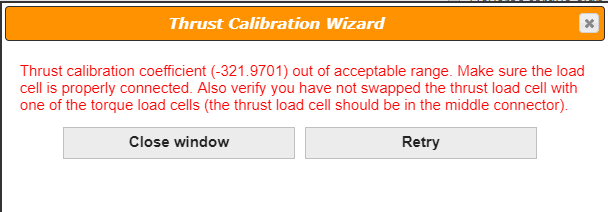
- If the calibration still shows that the coefficients are still out of the acceptable range, please make a screenshot as such:
- Now, move on to the torque calibration and make sure that the calibration bar is perfectly horizontal. You may check it with a bubble level or a spirit level.
- Make sure the 200 g weight is properly tangent to the two screws:

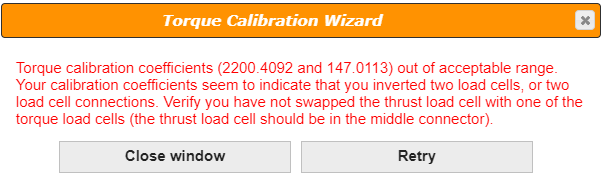
- If the torque calibration still shows that the coefficients are unacceptable, please make a screenshot as such:
- Please then go to the Setup tab and check the box “Activate debug mode”. Once selected, you will be able to see the load cell raw values on the bottom-left:
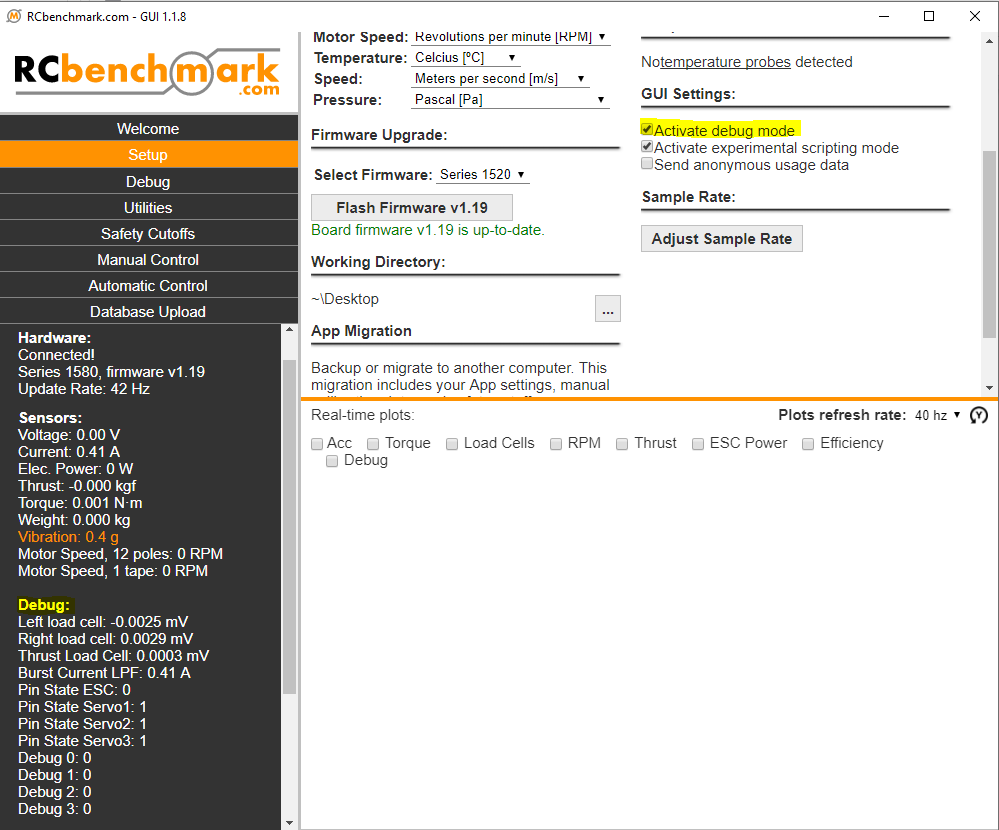
- Try to manually apply force and torque to the thrust stand and see if these raw values change. If not, inspect if the connection is intact.
- If all the values do change when you manually apply the loads, please remove the load and make a screenshot of those raw values when there is no external force and torque applied to the stand.
- Please send your request to support@tytorobotics.com and include the following info:
- Subject: S15 Calibration and load cell
- Let us know if the thrust calibration or the torque calibration NOT pass
- Screenshot of the last page of thrust calibration wizard, or the last page of torque calibration wizard, or both
- Screenshot of the load cell raw values
- Pictures of the load cells physically mounted on the stand
- Pictures of the circuit with the three 4-pin connectors that connect the load cells to the circuit
- In case there is a load cell failure, consult the procedure for a replacement.